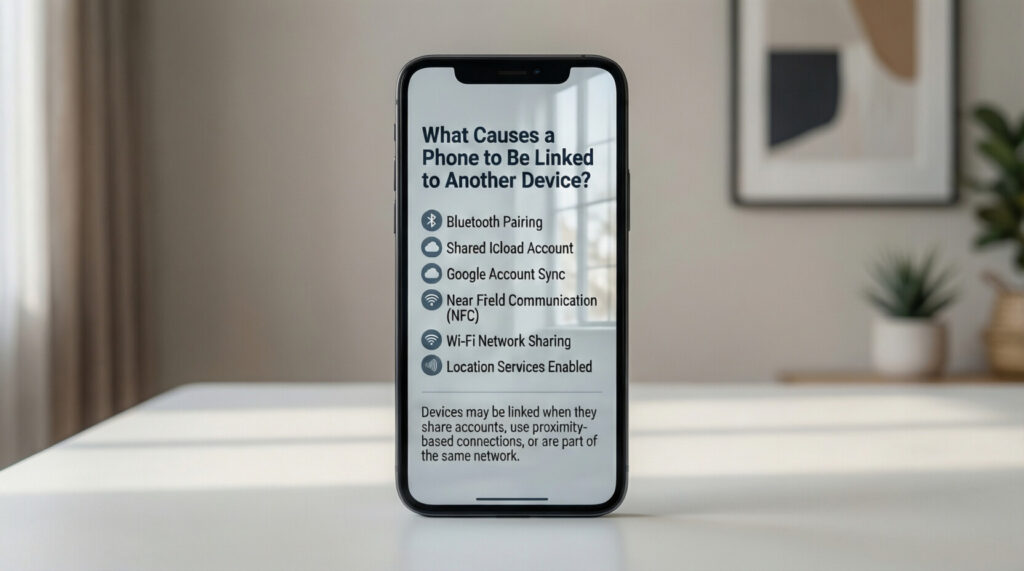

Our smartphones hold everything important. Photos, messages, banking apps, and personal conversations all live on these small devices. So when you suspect something is wrong, the first question that comes to mind is, “How do I know if my phone is linked to another device?” Understanding what causes these connections in the first place can help you stay safe and protect your privacy.
Why Phones Get Linked to Other Devices
Today, all modern smartphones are enabled to connect with several devices, and that is once again making life easier. For example, it can be synced with wireless headphones for the music, the laptop can be transferred with files, or an external smart TV can play the mirrored display from the phone. Connectivity can be managed through Bluetooth, Wi-Fi, cloud services, and built-in features, such as Apple’s Continuity or the Google ecosystem.
The worst comes into play when such kinds of connections happen without your knowledge. Sometimes the causes are innocent. Other times it simply signifies an extremely serious privacy issue that should be addressed immediately.
Common Reasons Your Phone Might Be Connected
Several everyday situations can link your phone to another device. Here are the most common ones.
Shared cloud accounts are a major cause. If you share an Apple ID or Google account with a family member, your devices automatically sync. This means your photos, contacts, messages, and app purchases can appear on someone else’s phone or tablet.
Bluetooth pairings build up over time. Every speaker, car system, smartwatch, or wireless earbud you connect to stays in your phone’s memory. You might forget about old connections, but they remain active until you remove them manually.
Find My Phone features create links between devices using the same account. These tools are helpful when you lose your phone. But they also let anyone with your login credentials track your location in real time.
Third-party apps sometimes request permissions that allow device linking. Messaging apps, file-sharing tools, and remote access software can create bridges between your phone and computers or other phones.
Spyware and malicious software represent the most concerning cause. Someone with physical access to your phone can install hidden apps that send your data to their device. This happens more often than people realize, especially in situations involving domestic abuse or controlling relationships.
How Do I Know If My Phone Is Linked to Another Device?
Finding linked devices is rather easy on both platforms.
On iPhone, navigate to Settings and tap on the Name listed at the top. Scroll down to view all the devices signed into your Apple ID. Immediately remove any device that you do not recognize. While you are in Settings, check out General, AirPlay, and Handoff for active connections.
On the Android platform, navigate to Settings and tap on Google. Select Manage your Google Account, and go to Security. Look for Your Devices, and there you will see all devices linked to your account. Remove anything unfamiliar.
Lastly, for Bluetooth-linked devices, check via the Bluetooth settings paired device information, and if there are old connections you no longer use, delete them.
Signs That Someone Else Has Access
Your phone sometimes gives warning signs and indications that an unwanted device has gained access. Look out for these red flags.
Unusual battery drains. Spyware works in the background, thus consuming battery power when your screen is off.
Data balance is being used abnormally. Some apps send information from your device to another even when you are not actively using it.
Your phone heats up for no reason. Hidden apps run background processes that generate heat.
Apps you didn’t install were just found. Many come with a generic icon to avoid detection.
Phone behaviors are suspicious. Frequent random restarts, a delay in performing operations, or strange, unfamiliar noises during calls—these can all indicate trouble.
How to Protect Your Phone
These are easy steps to help you gain control of the security of your device.
Constantly change your password. Create different passwords through your Apple ID, Google Account, and any apps with sensitive information.
Fortify two-factor authentication for such accounts as an additional way of protecting them in instances of password compromises.
Check app permissions regularly. Deny permissions to apps that do not require access to your location, camera, or microphone.
Keep your operating system updated. Security updates close the loopholes that hackers are out to exploit.
Never leave your mobile unlocked in front of anyone you don’t trust completely; someone with physical access can easily install tracking software on your phone.
Factory resetting can be a valid option if the integrity of your device is put to serious question; this means wiping every software off your device, including hidden spyware, but do back up any important files first.
Final Thoughts
Understanding what causes device linking helps you take back control of your privacy. Now that you know “How do I know if my phone is linked to another device?”, make it a habit to check regularly. Review your connected devices at least once a month. Remove old Bluetooth pairings. Watch for unusual behavior. Your phone contains your whole life. Protecting it should be a priority, not an afterthought. A few minutes of checking can prevent serious problems down the road.