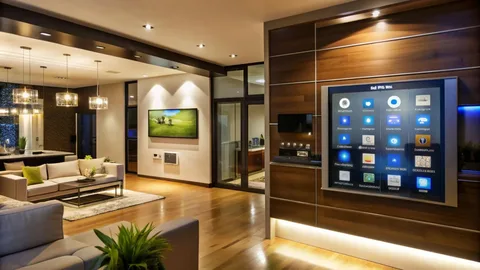

A successful smart home automation project begins with clear goals, a resilient network backbone, and devices chosen for compatibility and long-term firmware support so automations solve real problems rather than add complexity. Focus on local execution for critical functions, tidy wiring and conduit for future growth, and simple, reversible routines that household members trust.
Design smart home automation by mapping daily routines, selecting a hub that supports Zigbee, Z-Wave, Thread, and Wi-Fi, and prioritizing local control for locks, alarms, and essential lighting. Implement network segmentation, document automations, and pilot a few high-impact scenes to ensure reliability, privacy, and easy maintenance across the home.
Smart Home Automation Planning And Priorities
Begin every project by listing the concrete inconveniences you want the system to fix and who will use each feature so automations answer real needs. Prioritize a handful of high-value routines such as arrival, away, night, and energy-saving modes to deliver immediate benefit. Define which functions must work offline and which can rely on cloud services so you strike the right balance between convenience and resilience.
Choosing Hubs, Protocols, And Avoiding Vendor Lock-In
Select controllers that bridge the common radio protocols rather than tying you to a single ecosystem. Support for Zigbee, Z-Wave, Thread, and reliable Wi-Fi endpoints allows you to mix best-in-class sensors and actuators. Favor hubs that offer local execution for critical automations and a path for secure remote access, and standardize on a small set of device models to simplify spares and troubleshooting.
Network Design, Segmentation, And Resilience
A strong network ensures predictable smart home automation behavior. Provide wired Ethernet for hubs and media endpoints where possible, deploy multiple access points for full coverage, and segment IoT devices onto a separate VLAN to limit exposure. Ensure adequate upstream bandwidth when relying on cloud features and implement QoS for latency-sensitive traffic like two-way audio and video calls.
Device Selection, Placement, And Real-World Reliability
Choose devices with clear maintenance paths and active firmware updates. Place motion sensors to minimize false triggers from pets and sunlight and mount environmental sensors away from HVAC drafts. Use line-voltage smart switches for frequently used lighting circuits to preserve manual control and reduce confusion for guests. Test each device in situ before finalizing placements and document serial numbers and firmware versions.
Designing Human-Centered Automations And Scenes
Design automations that are predictable and easily overridden. Use presence confirmation and short delays to avoid unwanted triggers and provide manual controls in physical form for essential functions. Keep scene names simple and visible in mobile apps and on physical panels so everyone understands how the home will behave and can adjust settings without technical help.
Privacy, Data Minimization, And Local-First Choices
Treat privacy as a design constraint. Minimize continuous cloud streaming for cameras, prefer local recording where practical, and partition voice and video data away from general IoT networks. Limit third-party integrations to those you trust, review retention settings on cloud services, and document where sensitive data is stored so homeowners retain control over their information.
Commissioning, Documentation, And Ongoing Maintenance
Commission automations under real daily conditions and record baseline settings. Deliver a handover packet that includes wiring maps, device inventories, automation logic, and recovery procedures. Schedule periodic audits for firmware updates, battery replacements, and rule cleanup to prevent automation drift and to maintain predictable performance over time.
Final Thoughts On Smart Home Automation
Smart home automation is most successful when it is purposeful, maintainable, and respectful of privacy. Start small with high-impact automations, standardize hardware choices, and protect resilience through local execution and solid network design. With careful planning and routine maintenance, automations become dependable helpers rather than sources of frustration.
FAQs
What is the first automation I should implement?
Begin with one high-value use case such as evening lighting scenes or thermostat schedules tied to presence to deliver immediate comfort and energy savings while keeping complexity low.
How do I ensure my automations work during an internet outage?
Prioritize local execution for critical functions like locks and security sensors, keep hubs wired when possible, and avoid cloud-only dependencies for life-safety or access features.
Should I mix consumer-brand devices with professional gear?
Mixing is possible when you choose standards-based devices and a hub that supports them, but be aware some installers limit support for consumer gear and documentation becomes essential for long-term reliability.
How often should I update device firmware?
Check firmware monthly and apply security patches during scheduled maintenance windows; prioritize critical security fixes immediately and test major updates before broad rollout.
What documentation should I get at handover?
Receive a device inventory, wiring diagrams, automation logic descriptions, access credentials stored securely, and a simple quick-start guide for household members.
How long does a typical smart home installation take?
Timeline varies by scope. A single-room install can be completed in a day, while whole-house projects commonly take several weeks. Factors include wiring, drywall work, inspections, device provisioning, and integration complexity. Plan for site surveys and a phased schedule.
What warranties or guarantees should I expect?
Expect manufacturer warranties on hardware and a contractor warranty covering workmanship for a defined period. Ask whether firmware updates, remote monitoring, and labor for commissioning are included. Clarify response times for service calls and options for extended support or maintenance plans.
Can I mix DIY devices with professionally installed systems?
Yes; mixing is possible when devices use open protocols and the chosen controller supports them. Keep device inventories and network maps current, and understand that some installers limit support for third-party consumer gear. Pilot a small integration first to verify reliability.
How are privacy and data handled in smart home installations?
Installers should document data flows, storage locations, and retention policies, and offer local-recording options for cameras and voice devices. Minimize continuous cloud streaming where possible, enable account-level security, and provide clear user controls to opt into or out of cloud features affecting privacy.
What are common hidden costs to budget for?
Budget for network upgrades, additional conduit or cable runs, higher-capacity circuits, professional commissioning, and spare parts. Include potential subscription fees for cloud services, extended warranties, or premium integrations. Also account for unexpected labor for drywall repair, painting, or access adjustments.
Author: Elena Marques — Smart home strategist specializing in practical, privacy-first automation.