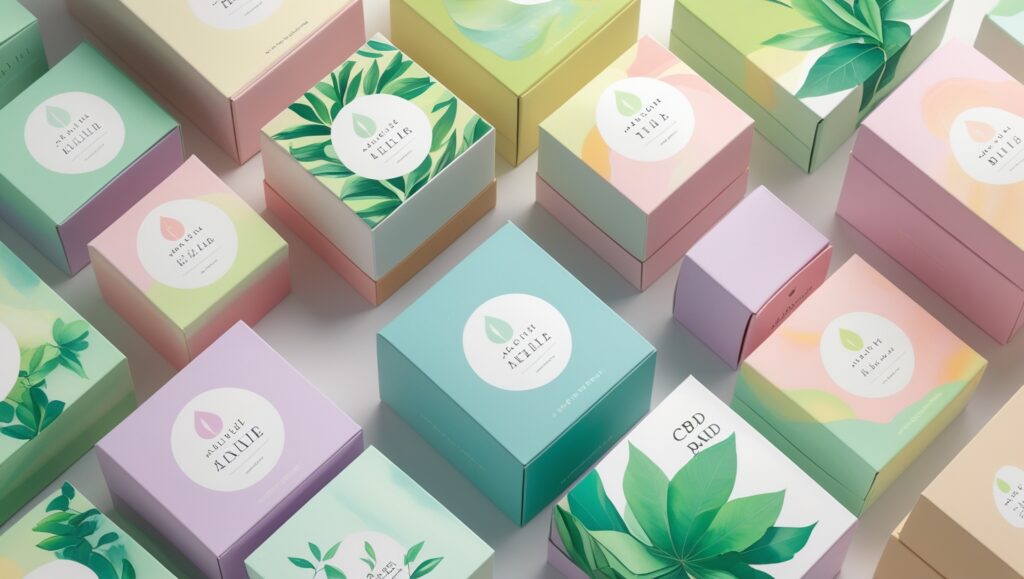

Color plays a vital role in digital design and creative work. The HSL (Hue, Saturation, Lightness) color model is especially popular because it allows designers to adjust colors in a way that feels natural and visually intuitive. Unlike RGB and CMYK, which focus more on technical color mixing and printing processes, HSL is based on how humans actually perceive color. This makes it easier to fine-tune shades for beauty, balance, and emotion.
Understanding the HSL Components
1. Hue (H)
Hue represents the main color family, such as red, blue, green, or yellow. It is measured on a color wheel from 0° to 360°. By adjusting the hue, you can change a color’s overall tone without affecting its brightness or intensity.
For example, shifting the hue from red toward orange changes the color’s look while keeping the same saturation and lightness.
2. Saturation (S)
Saturation controls how strong or pure a color appears. It is measured from 0% (completely gray) to 100% (full color intensity).
Increasing saturation makes colors more vivid and eye-catching, while lowering it creates softer, muted tones. This is useful for setting mood, highlighting important elements, or creating elegant, minimal designs.
3. Lightness (L)
Lightness defines how bright or dark a color is. It ranges from black (no light) to white (full light).
Adjusting lightness allows designers to create:
- Shades (darker versions of a color)
- Tints (lighter versions of a color)
This is essential for building contrast, depth, and readability in any design.
Basic HSL Color Manipulation Techniques
Adjusting Hue
Changing hue moves a color around the color wheel while keeping its saturation and lightness the same. For example, shifting green toward blue can produce a cooler and more calming effect, often used in modern interfaces and wellness designs.
Modifying Saturation
Saturation changes control how bold or subtle a color feels.
- Higher saturation creates strong, energetic visuals.
- Lower saturation results in calm and neutral appearances.
This technique is ideal for guiding attention and creating visual hierarchy.
Controlling Lightness
By increasing or decreasing lightness, designers can build highlights, shadows, and smooth transitions. This helps create dimension and realism in digital illustrations and user interface elements.
Advanced Uses of HSL
Creating Color Gradients
HSL values make it easy to design smooth and visually pleasing gradients. By gradually changing hue, saturation, or lightness, designers can achieve seamless transitions between colors. This approach gives more control than RGB-based gradients and produces more balanced visual effects.
Digital Art and Design Applications
In digital art and graphic design, HSL manipulation helps artists experiment with color palettes and adjust tones for different lighting or themes. It allows for better storytelling through color by creating harmony, contrast, and emotional impact.
Practical Tips for Designers
Choose the Right Tools
Use design software that supports HSL adjustments with real-time previews. Tools that allow easy control of hue, saturation, and lightness make experimentation faster and more accurate.
Design for Different Platforms
Colors can appear differently on screens and in print. Always test and adjust your HSL values based on where the design will be displayed. This ensures consistency and avoids unexpected color changes.
Conclusion
The HSL color model gives designers a powerful and flexible way to control and refine color. By mastering hue, saturation, and lightness adjustments, you can create visually appealing designs with depth, harmony, and clarity. Whether you are working on digital artwork, user interfaces, or printed materials, HSL provides a simple yet effective system for achieving beautiful and precise color results.
FAQs
1. What does HSL stand for in color design?
HSL stands for Hue, Saturation, and Lightness. It is a color model that represents colors in a way that matches how humans naturally perceive them, making it easier to adjust and fine-tune colors for design work.
2. How is HSL different from RGB and CMYK?
RGB focuses on mixing red, green, and blue light for screens, while CMYK is used mainly for printing. HSL, on the other hand, is designed for visual understanding, allowing designers to control color tone (hue), intensity (saturation), and brightness (lightness) more intuitively.
3. What is hue in the HSL color model?
Hue refers to the basic color type, such as red, blue, green, or yellow. It is measured on a color wheel from 0° to 360°. Changing the hue shifts the color without affecting how bright or intense it looks.
4. What happens when saturation is increased or decreased?
Increasing saturation makes a color more vivid and bold, while decreasing saturation makes it more muted or gray. Designers use this to control mood, focus attention, and create balance in a design.
5. How does lightness affect a color?
Lightness controls how bright or dark a color appears. Lower lightness creates darker shades, while higher lightness creates lighter tints. This helps in building contrast, depth, and readability in designs.
6. Why is HSL useful for creating gradients?
HSL allows smooth transitions by gradually adjusting hue, saturation, or lightness. This results in more natural and visually pleasing gradients compared to basic RGB transitions.
7. Can HSL be used in web and graphic design?
Yes, HSL is widely used in web design, digital art, and graphic design. Many design tools and CSS support HSL values, making it easy to experiment with colors and maintain visual consistency.
8. Which tools support HSL color adjustments?
Most modern design tools such as Photoshop, Illustrator, Figma, and online color pickers support HSL controls. These tools provide real-time previews, helping designers quickly test and refine color choices.
9. Does HSL work the same for print and digital screens?
Colors can look different on screens and in print. While HSL helps manage color visually, designers should always test and adjust colors for the target platform to avoid unexpected results.
10. Is HSL suitable for beginners in design?
Yes, HSL is beginner-friendly because it breaks color into three simple parts. This makes learning color control easier and helps new designers understand how changes affect the final look.