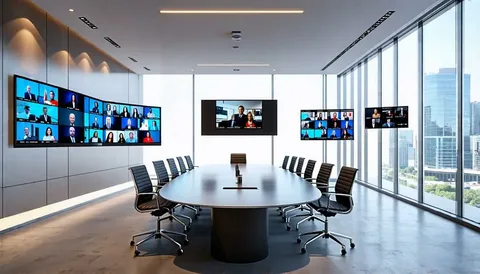

Selecting the right conference room camera and placing it strategically is central to creating hybrid meetings where remote attendees feel present and engaged. Cameras are not interchangeable cosmetic parts; they determine whether expressions, presentations and whiteboard work are perceived clearly by remote participants. This article dives into camera types and features, placement and framing guidelines, PTZ versus fixed options, lens and sensor considerations, integration with room systems, calibration tips and operational processes to ensure cameras contribute to equitable and productive meetings.
A conference room camera must be chosen and positioned to capture facial detail, maintain eye contact, and render presentation content clearly; key factors include resolution, field of view, low-light performance and mounting height to create natural remote presence.
Understand Use Case Before Selecting A Camera
Before choosing hardware, list the primary activities the camera must support: small-team huddles, multi-presenter sessions, whiteboard capture, or production-style town halls. For one-to-one or small groups, a wide fixed camera with a flattering field of view can be sufficient. For larger or dynamic sessions, PTZ cameras or multi-camera arrays with auto-switching help follow speakers and highlight presenters. Clarifying the use case informs choices about zoom range, sensor quality and whether the camera needs to integrate with room control systems.
Camera Types And Core Feature Considerations
Camera choices fall into broad categories: fixed wide-angle units, PTZ (pan-tilt-zoom) cameras, and multi-lens or array cameras that stitch multiple sensors. Fixed cameras are simple and reliable for consistent framing, while PTZ cameras offer flexible framing but require either manual control or reliable automation to avoid jittery motion. Sensor size and lens quality determine low-light performance and depth-of-field; larger sensors usually perform better in non-ideal lighting and produce more natural images. Look for cameras with optical zoom over digital zoom, high dynamic range to handle mixed lighting and low latency for natural interaction.
Field Of View, Framing And Eye Contact
Field of view (FOV) is a critical spec. Too wide and participants appear small and distant; too narrow and important context is lost. For small rooms choose a 70–90 degree horizontal FOV to balance proximity and context; for larger rooms use narrower FOV with optical zoom to frame speakers. Mount the camera at or slightly above eye level and center it on the speaking area to maintain comfortable eye contact for remote viewers. Avoid ceiling-mounted cameras that produce unnatural downward angles and place cameras behind or above displays where possible to reduce the perception of participants looking away from the screen.
PTZ Versus Fixed Cameras: Tradeoffs And Use Cases
PTZ cameras excel in multi-use rooms where manual control or automated presets can select the best shot during events. They are ideal for auditoria and production use but require a control layer and good presets to avoid disruptive movements. Fixed cameras are durable, have fewer moving parts, and provide a stable image for routine meetings. For many conference rooms a hybrid approach—fixed camera for general meetings with a PTZ available for special events—delivers flexibility without complexity.
Auto-Framing, Speaker-Tracking And Intelligence
Modern cameras offer intelligent features such as auto-framing, speaker tracking and multi-person framing. These can enhance sense of presence when tuned correctly but beware of aggressive tracking that creates distracting zooms or frequent reframing. Configure intelligence with smooth transition parameters and ensure fallback to stable wide shots when ambiguity exists. Where privacy or compliance demands it, turn off automatic recording or tracking features and provide clear controls for participants.
Whiteboard And Document Capture Strategies
Whiteboard capture demands high resolution and careful placement. If whiteboards are a frequent collaboration surface, choose cameras with optical zoom and place them on a tripod or fixed mount that allows a clear sightline. Consider using a dedicated document camera for detailed content, or a secondary camera preset focused on the board. Balance board visibility with speaker visibility so remote attendees can see both the presenter and the working surface without excessive switching.
Integration With AV Systems And Control
Cameras must play nicely with the room’s AV ecosystem. Use standards-based connections where possible and ensure control integration for preset recall, PTZ commands and camera selection. Centralized management allows firmware updates and health checks across camera fleets, while integration with the room’s control panel enables quick on-screen selection of camera views. Test interoperability with the conferencing platform for native device support to simplify operator workflows.
Network And Bandwidth Implications
High-resolution cameras generate significant video streams. For hardware-based room systems the camera may feed a local codec that handles network uplink; for IP-based camera deployments you must plan for multicast, VLANs and adequate bandwidth. Ensure camera firmware supports secure streaming and implement QoS to prioritize critical media flows. For remote recording of meetings, confirm local capture devices can ingest the camera’s streams without dropping frames.
Camera Placement Checklist And Mounting Best Practices
Place cameras at eye level, center on the speaking area, and maintain clear lines of sight. Avoid mounting near HVAC registers or noisy cable runs that introduce vibration. Use vibration-damping mounts for cameras in environments with foot traffic or mechanical noise. When mounting near displays, keep the lens unobstructed and use cable strain relief to avoid accidental disconnection. Label camera controls and document presets so facility staff can reproduce reliable setups after maintenance.
Calibration, Color Matching And Daylight Management
Camera calibration reduces visual mismatch between multiple cameras and displays. Set white balance to fixed settings when possible, match color profiles across cameras for consistent skin tones and lock exposure levels to avoid constant auto-adjustment. Manage daylight by using neutral density blinds or controlled lighting and choose cameras with wide dynamic range to handle windows and interior lighting simultaneously. For mixed-light environments, prefer manual exposure settings tuned during commissioning.
Operational Guidelines And Privacy Considerations
Create simple operational rules: confirm participants are aware when cameras are recording, provide a visible recording indicator, and offer privacy covers for cameras where appropriate. For recurring meetings establish camera presets and train local operators on switching and framing. Limit automatic cloud recording to approved sessions and ensure retention policies meet organizational privacy requirements.
Troubleshooting Common Issues
Common camera problems include jitter from poor network paths, washed-out faces due to backlight, and unnatural framing from miscalibrated presets. Troubleshooting begins with verifying power and network health, checking mounting stability and reviewing exposure and white balance settings. Recalibrate presets after furniture moves and re-test intelligent tracking features in live scenarios. Maintain a small stock of spare cameras and mounts to replace faulty units quickly for critical rooms.
Future-Proofing Camera Investments
Buy cameras with modular firmware and support for evolving codecs and automation features. Prefer standards-based interfaces that increase longevity and ease of integration with newer endpoints. Consider vendor roadmaps and opt for models with open APIs if you plan to build custom control or analytics integrations. Future-proofing reduces the risk of stranded investments and keeps rooms adaptable to changing meeting formats.
Conclusion
A conference room camera is more than a lens; it is the bridge between in-room dynamics and remote presence. Choosing the right camera, placing it thoughtfully, integrating it with the AV system and operating it with disciplined presets and calibration produces meetings where remote participants feel included and able to contribute. Prioritize sensor quality, lens optics and mounting at eye level, and combine those technical choices with simple operational rules so cameras consistently add value to hybrid collaboration.
FAQs
What Camera Field Of View Is Best For Small Conference Rooms?
For small conference rooms a horizontal field of view between 70 and 90 degrees balances context and subject size, allowing faces to appear natural without making participants look distant while preserving some room context for gestures.
Should I Use PTZ Cameras For Regular Team Meetings?
PTZ cameras are beneficial for rooms that host varied events and need dynamic framing; for routine team meetings fixed wide-angle cameras are simpler, more reliable and usually sufficient unless you require on-demand close-ups or production control.
How Can I Improve Camera Performance In Rooms With Windows?
Control daylight with blinds or neutral density filters, use cameras with wide dynamic range, and set manual exposure and white balance during commissioning to avoid constant auto-adjustments that result in flicker or washed-out faces.
How Often Should Camera Presets Be Recalibrated?
Recalibrate camera presets after any physical changes in the room—furniture movement, new displays, or lighting changes—and perform a quick verification at least annually to ensure framing and color matching remain consistent.
What Is The Impact Of Camera Resolution On Bandwidth And Storage?
Higher resolution increases bandwidth and storage demands significantly; balance the need for detail with network capacity by using efficient codecs, provisioned uplink and targeted resolution for recording while using lower bitrate streams for live conferencing when necessary.
Author Bio
Author: Daniel Park, AV Systems Engineer focused on video capture and hybrid collaboration technology.