
Microsoft 365 tenant-to-tenant migration has become a standard requirement for organizations undergoing mergers, acquisitions, divestments, or tenant consolidations. While Microsoft provides native tools to move mailboxes between tenants, the process is often misunderstood and underestimated.
This article explains how tenant-to-tenant migration works, the real challenges of using Microsoft’s built-in approach, and why organizations increasingly rely on specialized migration services like MailsDaddy to achieve predictable and secure outcomes.
What Is a Microsoft 365 Tenant-to-Tenant Migration?
A tenant-to-tenant migration involves transferring user data and services from one Microsoft 365 tenant (source) to another (target). The most common workloads include:
- Exchange Online mailboxes
- Shared and archive mailboxes
- OneDrive for Business data
- SharePoint sites
- Microsoft Teams files and channels
The complexity of this task depends on data volume, number of users, domain configurations, and business continuity requirements.
Microsoft’s Native Migration Approach: How It Works
Microsoft supports cross-tenant mailbox migration using Exchange Online PowerShell. The process revolves around:
- Establishing trust between tenants
- Assigning cross-tenant migration licenses
- Creating MailUsers in the target tenant
- Mapping mailboxes using GUID values
- Executing migration batches via CSV files
While technically sound, this method is manual, time-consuming, and focused almost exclusively on mailbox data.
Limitations of the Native Method
The native migration option presents several operational challenges:
- Requires advanced PowerShell expertise
- Supports only Exchange Online mailboxes by default
- Does not migrate OneDrive, SharePoint, or Teams content
- Lacks centralized reporting and progress dashboards
- Increases the risk of human error due to manual mapping
For organizations with more than a few dozen users, these limitations quickly become bottlenecks.
Why Migration Projects Often Fail or Stall
Tenant migrations often run into trouble because:
- Dependencies between services are overlooked
- Licensing is not prepared in advance
- Data changes continue during migration
- User communication is delayed or unclear
Without automation and structured workflows, administrators spend more time troubleshooting than migrating.
MailsDaddy Cross Tenant Migration: Designed for Real-World Scenarios
A carefully planned tenant-to-tenant migration is essential to avoid data loss and downtime. The MailsDaddy Cross-Tenant Migration Service helps organizations execute smooth Microsoft 365 tenant to tenant migration projects with full control. It supports reliable cross-tenant mailbox migration, transferring emails, calendars, contacts, and OneDrive files accurately. The service is designed around tenant-to-tenant migration best practices, ensuring metadata, permissions, and folder hierarchy remain intact. Delta migration ensures new emails and changes are synchronized before cutover. For businesses preparing for an Office 365 tenant to tenant migration, MailsDaddy offers a dependable and structured solution that simplifies even complex migration scenarios.
Supported Workloads
MailsDaddy migrates:
- User, shared, and archive mailboxes
- OneDrive and SharePoint data
- Microsoft Teams files and channels
This eliminates the need to manage multiple tools or run separate migration projects.
Streamlined and Secure Migration Process
The MailsDaddy migration workflow includes:
- Environment discovery and analysis
- User and data mapping via UI or spreadsheet
- OAuth-based authentication (no manual app secrets or GUID handling)
- Pre-staging large datasets
- Incremental delta synchronization
- Controlled final cutover
Administrators benefit from real-time progress tracking and detailed migration reports.
Security, Compliance, and Data Integrity
MailsDaddy prioritizes security and accuracy:
- Encrypted data transfer using enterprise-grade encryption
- Preservation of metadata, permissions, and timestamps
- Complete activity logging for auditing and compliance
These features ensure migrations meet internal governance and regulatory requirements.
Minimizing User Disruption
One of the biggest concerns during tenant migration is user downtime. MailsDaddy minimizes disruption through:
- Background data synchronization
- Near-zero downtime cutovers
- Outlook profile configuration assistance
- Post-migration validation support
End users experience a smoother transition with fewer support requests.
Best Practices for Successful Tenant Migration
To ensure success:
- Start with a pilot migration
- Prepare licenses and domains early
- Lower MX record TTL before cutover
- Communicate changes clearly to users
- Validate mail flow and client access after migration
Using a structured migration service helps enforce these best practices automatically.
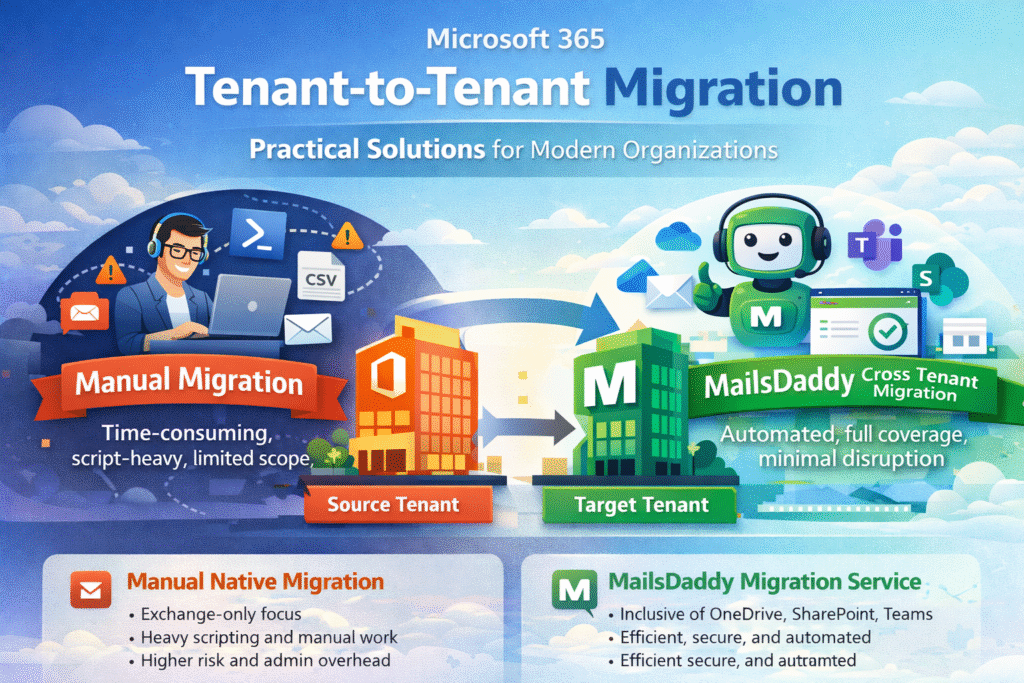
Manual Migration vs MailsDaddy: A Clear Comparison
Manual Native Migration
- Exchange-only focus
- Heavy scripting and manual effort
- Limited visibility and higher risk
MailsDaddy Cross Tenant Migration
- Full Microsoft 365 workload coverage
- Automated, scalable, and secure
- Faster execution with lower operational cost
Final Thoughts
Office 365 cross tenant migration is a strategic IT initiative—not just a technical task. While native tools provide a foundation, they are rarely sufficient for modern business requirements.
MailsDaddy Cross Tenant Migration Service delivers the reliability, automation, and coverage needed to migrate confidently, protect data integrity, and keep users productive.
When precision and efficiency matter, choosing the right migration approach makes all the difference.
About Us: MailsDaddy Software Pvt. Ltd.- A global pioneer in database recovery and exchange migration, has a set of innovative and acclaimed solutions to make things easier in a variety of ways. MailsDaddy is located in New Delhi which is also the capital of India. Maintaining the brand position with global clients. MailsDaddy has expanded its offices in a very short span of time from a single location to the European region with 24*7-lifetime free technical support. Till now we have more than 5 million customers in the world.
The movement of email is happening very fast, so there are bound to be different types of email communication. If you are also connected to any email service and want to migrate the data, then connect with the MailsDaddy software. We provide various types of email conversion, backup, and migration solutions that will surely give you successful results.
MailsDaddy Software has been at the forefront of this field for seven years and has been manufacturing a wide variety of different software. We currently have over 30 types of solutions that are fully capable of doing everything from migrating emails to creating backups.