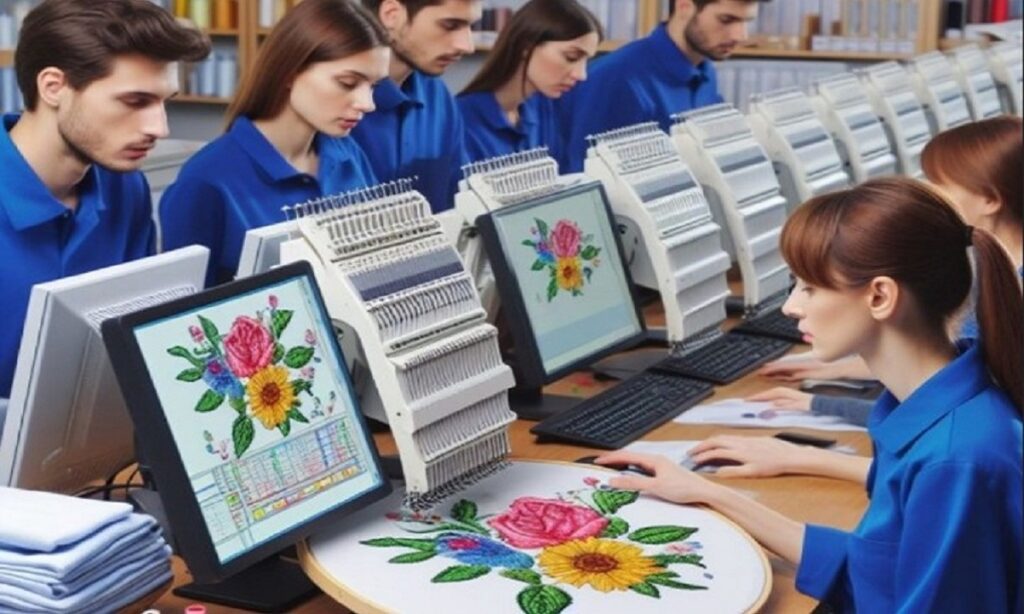

The world of embroidery is changing fast, and AI To Embroidery File Conversion is leading that transformation. What once took hours of manual digitizing can now be done in minutes with the help of artificial intelligence. Whether you’re working with Tajima, Brother, or Pfaff machines, AI tools are making it easier than ever to turn artwork into stitch-ready embroidery files. But here’s the truth: while AI speeds things up, the best results still come from understanding the full workflow from artwork prep to final stitch testing.
In this complete guide, we’ll break down how AI to embroidery file conversion works, the exact workflow for different machine brands, its benefits, limitations, and how to get professional-quality results every time.
What Is AI to Embroidery File Conversion?
AI to embroidery file conversion is the process of using artificial intelligence software to automatically turn digital artwork like JPG, PNG, PDF, or vector files into embroidery machine files. These files include popular formats such as:
- DST for Tajima
- PES for Brother & Babylock
- VP3/PXF for Pfaff
- JEF for Janome
- EXP for Melco
Instead of manually plotting each stitch, AI analyzes the image and generates stitch paths instantly. It’s fast, convenient, and perfect for quick turnarounds.
Why AI Conversion Is Gaining Massive Popularity
AI-driven embroidery conversion is exploding in popularity because it offers:
- Faster turnaround times
- Reduced labor costs
- Beginner-friendly operation
- Quick prototype creation
- Easy design previews
For startups, custom apparel shops, and online sellers, AI conversion provides a powerful way to scale production without hiring large digitizing teams.
Understanding the Limitations of AI Conversion
Before diving into the workflow, it’s important to understand that AI isn’t perfect. Common limitations include:
- Overly dense stitching
- Weak or missing underlay
- Poor small-text handling
- Inaccurate stitch direction
- Limited fabric optimization
This is why many professionals use a hybrid workflow: AI for speed, manual adjustments for quality.
The Complete AI to Embroidery File Conversion Workflow
Let’s walk through the exact step-by-step workflow professionals follow when converting designs for Tajima, Brother, and Pfaff machines.
Step 1: Prepare and Clean the Artwork
AI works best with clean, high-quality input. Before uploading your design:
- Remove background noise
- Increase contrast
- Simplify fine details
- Convert gradients into solid colors
- Ensure sharp lines
Vector files (AI, SVG, EPS) give the best results, but high-resolution PNG and JPG files also work well.
Step 2: Upload Artwork into AI Digitizing Software
Once your design is ready, upload it into your AI embroidery software or online converter. Most platforms will automatically:
- Detect color zones
- Identify outlines
- Separate design layers
At this stage, you’ll typically be asked to choose your desired output format.
Step 3: Select the Machine-Specific File Format
This is a critical step. Always select the correct format for your machine:
- Tajima → DST format
- Brother → PES format
- Pfaff → VP3 or PXF format
Choosing the wrong format can result in unreadable files or incorrect stitch behavior.
Step 4: Automatically Generate Stitch Types
AI software assigns stitch types automatically, including:
- Satin stitches for lettering
- Fill stitches for large areas
- Running stitches for outlines
While this saves time, it’s important to review these stitch assignments carefully.
Step 5: Auto-Set Stitch Density & Direction
The software will calculate:
- Stitch density
- Stitch angle
- Pull compensation
This is where AI saves the most time but also where most quality problems begin. Automatic settings don’t always match your fabric type or thread weight.
Step 6: Preview the Embroidery Simulation
Before exporting your file, always run a stitch simulation. This allows you to spot:
- Overlapping stitches
- Unnecessary jump stitches
- Color order issues
- Gaps or heavy buildup
Think of this as your first quality checkpoint.
Step 7: Manual Refinements for Professional Quality
This is where professionals separate themselves from amateurs. After AI generates the file:
- Adjust stitch density
- Add underlay where needed
- Improve stitch direction
- Smooth out curves
- Fix small text manually
Even 5–10 minutes of manual editing can dramatically improve the final stitch quality.
Step 8: Export Final File for Machine Use
Once your design is optimized, export it in the proper machine format:
- DST for Tajima
- PES for Brother
- VP3/PXF for Pfaff
Transfer the file via USB, Wi-Fi, or direct connection depending on your machine setup.
Step 9: Test Stitch on Scrap Fabric
Never skip test stitching. Use the same fabric you’ll use in production and check for:
- Stitch gaps
- Puckering
- Thread breaks
- Color accuracy
- Design alignment
Fixing issues now prevents costly production errors later.
Machine-Specific Considerations for AI Conversion
Each embroidery machine brand has its own behavior. Understanding these differences helps you get better results.
AI Conversion for Tajima Machines
Tajima machines typically use the DST format and are built for commercial production. When converting with AI:
- Avoid excessive stitch density
- Use strong underlay for caps and jackets
- Optimize stitch direction for high-speed runs
- Limit jump stitches to reduce trimming time
Tajima loves clean, efficient stitch paths.
AI Conversion for Brother Machines
Brother machines use PES format and are extremely popular in home and small-business setups.
Key tips:
- Keep stitch counts within machine limits
- Avoid complicated multi-layer designs
- Use lighter density for stretch fabrics
- Test lettering carefully
Brother machines are flexible but benefit greatly from clean digitizing.
AI Conversion for Pfaff Machines
Pfaff machines work with VP3 and PXF formats and focus heavily on design precision.
For best results:
- Use accurate satin stitch widths
- Optimize stitch order carefully
- Pay attention to color transitions
- Avoid abrupt stitch direction changes
Pfaff machines shine when files are well-polished.
Benefits of Using AI for Embroidery File Conversion
AI brings several powerful advantages to embroidery workflows:
- Super-fast turnaround
- Consistent base-level results
- Affordable conversion
- Easy learning curve
- Great for bulk prototype creation
- Perfect for simple logos and text
For many low-complexity designs, AI gets you 70–80% of the way instantly.
When AI Alone Isn’t Enough
Even the best AI tools struggle with:
- Tiny lettering
- Highly detailed artwork
- Gradients and photo embroidery
- 3D puff designs
- Complex cap digitizing
- Patch embroidery
In these cases, manual or hybrid digitizing is still necessary.
AI vs Manual Digitizing: Which Is Better?
The real answer? Both.
- AI is best for:
- Speed
- Simple designs
- Budget jobs
- Early mockups
- Manual digitizing is best for:
- Premium logos
- Hats and 3D puff
- Dense embroidery
- Luxury garments
- High-volume production
Smart businesses use both based on project needs.
Common Mistakes to Avoid in AI Conversion
To avoid poor results, stay clear of these common errors:
- Uploading low-resolution artwork
- Skipping manual refinements
- Ignoring fabric behavior
- Overlooking underlay stitches
- Skipping test embroidery
- Using wrong file format
Each mistake costs time, money, and material.
Best Fabrics for AI-Based Embroidery Conversion
AI conversion works best on:
- Cotton
- Twill
- Canvas
- Polyester blends
More challenging fabrics include:
- Stretch fabrics
- Leather
- Towels
- Caps
These usually require manual adjustments after AI conversion.
How Long Does AI to Embroidery Conversion Take?
- AI processing: 30 seconds to 2 minutes
- Manual refinement: 5–20 minutes
- Test stitch: 5–15 minutes
In under 30 minutes, you can go from artwork to production-ready embroidery.
Is AI Conversion Good for Professional Businesses?
Absolutely when used correctly. AI dramatically improves workflow speed, especially for:
- Daily logo orders
- Personalization businesses
- Promotional product sellers
- Print-on-demand brands
- Etsy embroidery shops
The key is treating AI as a tool, not a replacement for quality control.
The Future of AI in Embroidery Digitizing
AI is improving rapidly. Future advancements will bring:
- Better fabric detection
- Smarter stitching algorithms
- Auto-underlay improvements
- 3D puff recognition
- Photo embroidery optimization
But even as AI evolves, human expertise will remain essential for premium-quality embroidery.
Final Thoughts
AI To Embroidery File Conversion has completely changed how fast and efficiently designs can move from artwork to stitch-ready files for Tajima, Brother, and Pfaff machines. With the right workflow starting from artwork cleanup, choosing the correct machine format, refining stitch quality, and always test stitching you can enjoy the speed of AI without sacrificing professional results. When used wisely, AI becomes your productivity partner, not a shortcut to mistakes. And when you want expert-level embroidery files that combine the speed of automation with the precision of skilled digitizing, countless businesses rely on Digitizing Buddy for consistent, high-quality results they can trust.